What Is a Digital Footprint Checker and Why You Should Use One?
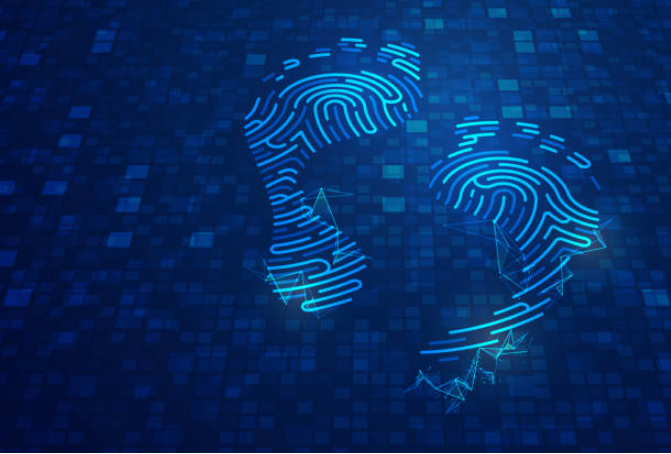
Because everything is connected today, every action we take online can be tracked. All our actions on social media, looking up things on Google, buying goods online, and using apps are creating our digital footprint. It is more important than just a record of our online actions; it can change how we are viewed online, make us less secure, and play a part in getting a job.
A Digital Footprint Checker allows people and companies to find out and manage what is shared about them on the internet. We will discuss what a digital footprint checker does, how it functions and why it’s important for you to manage your digital presence.
What Does Digital Footprint Mean?
Your digital footprint is the information you create whenever you use digital services. It includes:
Messages and comments that appear on social media.
- Information kept in emails and on cloud storage
- Reviewing the pages you have browsed and the searches you’ve done
- Purchasing and signing up for things online
- Posts or accounts on job sites
- Tags and other details from pictures and videos
- Digital information you leave behind can be active—you share it yourself—or passive—it is gathered automatically such as with cookies and tracking pixels.
The Importance of a Digital Footprint Checker
It searches online for anything related to your name, emails, phone numbers or social media accounts. If you are considering how to make your data easier to analyze, these are the main reasons to start using one.
1. Privacy Protection
A lot of people don’t know just how much of their data can be found online. A footprint checker tells you where your data can be found, so you can secure or delete it.
2. Reputation Management
Employers, clients and people you know can search for you on the internet. Having an unmonitored footprint might result in old, wrong or unsuitable information hurting your reputation.
3. Cybersecurity Risk Management
Having access to emails, usernames and passwords makes it easy for hackers to break in. There are tools that point out if your personal data has been exposed during a data breach or is being sold on the dark web.
4. Regulating How People See You Online
Being aware of what’s available lets you manage your digital identity. Use the tool to set up a personal brand or fix up accounts from the past.
The process a Digital Footprint Checker uses
Most of the time, a checker gathers data about your online activity through several techniques.
- Google, Bing and other search engines are scanned for any mentions of your name, username or email.
- Look up names on public records, social media accounts and website directories.
- Breach Monitoring: Tells you if your information has been involved in any kind of data breach.
- Connect other profiles and accounts that have links to you, even if they are using different usernames.
- Certain tools can use AI and machine learning to check if your content might cause tone, sentiment or reputation issues.
Useful Features in a Digital Footprint Checker
Try to pick a footprint checker that gives you valuable information and guards you from harm.
Wide-ranging web and social media scanning
These services include Breach Alerts & Dark Web Monitoring.
- Personal data removal tools
- Risk Score or Reputation Rating
- In addition, there are Custom Reports and Notifications.
- Privacy and Security Tips
- People often use the following popular tools:
- DeleteMe
- BrandYourself
- Mine
You can use Have I Been Pwned? (for verifying if breached accounts are included)
Monitoring your brand’s name on Google (basic mention monitoring)
How to Effectively Control Your Digital Information?
Along with a checker, keeping good habits reduces unwanted exposure. Here are some important habits to start:
- Check what appears when you search for your own name on a regular basis.
- Search for your name, your email and different usernames. Visit the images, videos and news areas as well.
- Set up your privacy controls.
- Change your privacy settings on social media and only display limited information to the public.
- Get rid of Old Accounts
- You can use JustDelete.Me to locate and eliminate accounts you do not use anymore.
- Always Use Distinct and Powerful Passwords
- Never use the same password twice and when you can, set up two-factor authentication.
- Be Picky About Who You Share Your Ideas With
- Think twice before sharing online — especially if what you want to share is personal or might be misinterpreted.
Who Is the Right Person to Use a Digital Footprint Checker?
Everyone who uses the internet leaves a digital onboarding trail, so the tool is good for all users.
Protect the information you share and your reputation.
Experts: Remove any negative information about yourself online before looking for work or meeting people.
Guide your children in how they use the internet and watch over their actions.
For businesses, watch for brand discussions, reviews, and how their staff appears online.
Conclusion
There is a digital record of who you are online and others can read it without your knowledge. By using a digital footprint checker, you can manage and review what is online about you. It supports your privacy, lets you control your reputation, and helps you avoid online risks. Looking for work, managing a company, or simply wanting to be safe online, people now rely on this tool daily.